什么是外设
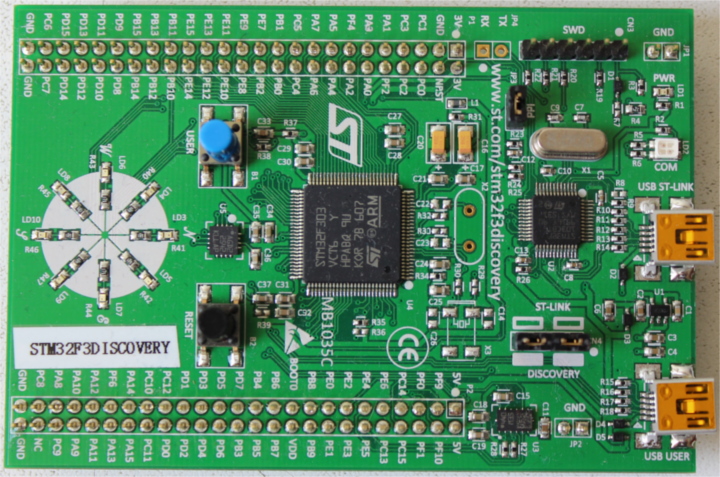
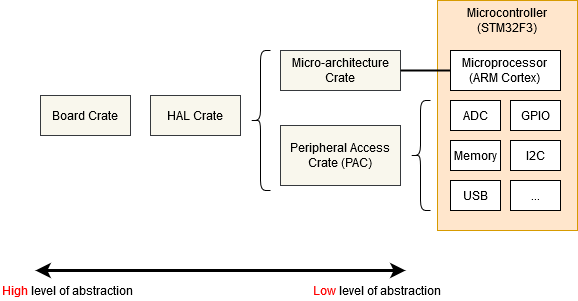
MCU不是只有CPU,Flash,Ram。也包含传感器,显示器等帮助MCU和外界交互的设备这些统一称之为外设Peripherals。
外设的作用
外设可以允许开发者将任务处理的工作卸载在外设从而减少CPU的负载或者节省电量。类似于PC将图形处理任务卸载到GPU上
Singletons
不建议使用全局变量
我们可以将内容设为公共全局静态,就像这样
static mut THE_SERIAL_PORT: SerialPort = SerialPort;

fn main() {
    let _ = unsafe {
        THE_SERIAL_PORT.read_speed();
    };
}
但是意味着在多线程或者多程序中可能会出现对公共全局变量的读写竞争,因为不可能所有对公共全局变量都是原子操作。所以这样是不安全的,无法跟踪变量的引用权和所有权。
我们应该如何做在Rust
与其将外设设为全局变量,我们可以选择创建一个结构体,这里称之为 PERIPHERALS ,其中包含每个外设的 Option<T> 。
struct Peripherals {
    serial: Option<SerialPort>,
}
impl Peripherals {
    fn take_serial(&mut self) -> SerialPort {
        let p = replace(&mut self.serial, None);
        p.unwrap()
    }
}
static mut PERIPHERALS: Peripherals = Peripherals {
    serial: Some(SerialPort),
};
现有库的支持
尽管上面创建了 Peripherals 结构体,但为你的代码并非必要这样做。 cortex_m 库包含一个名为 singleton!() 的宏,为你执行这个操作。
use cortex_m::singleton;

fn main() {
    // OK if `main` is executed only once
    let x: &'static mut bool =
        singleton!(: bool = false).unwrap();
}
- let x : & ‘static mut bool 声明x是一个引用,引用的是’static mut bool这个格式的
- singleton! 创建一个全局唯一的变量,第一次调用就返回
Some(&'static mut bool)。- (: bool =false) 声明创建的变量是布尔值初始化为false。
- 总结:创建一个全局唯一的布尔值,初始值是 false,并返回它的可写引用给 x。”
此外,如果你使用 cortex-m-rtic ,抽象化定义和获取这些外设,你将得到一个 Peripherals 结构体,其中包含你定义的所有项的非 Option<T> 版本。
// cortex-m-rtic v0.5.x
#[rtic::app(device = lm3s6965, peripherals = true)]
const APP: () = {
    #[init]
    fn init(cx: init::Context) {
        static mut X: u32 = 0;

        // Cortex-M peripherals
        let core: cortex_m::Peripherals = cx.core;

        // Device specific peripherals
        let device: lm3s6965::Peripherals = cx.device;
    }
}